A golf app that learns your game and helps you play smarter.
TeeForm Golf Caddie uses your real shot history, club distances, dispersion, wind and elevation to help you choose the right club and make smarter decisions on the course. The more you play, the more it learns about your game. It is a satellite GPS rangefinder too, and every distance you check helps it learn.
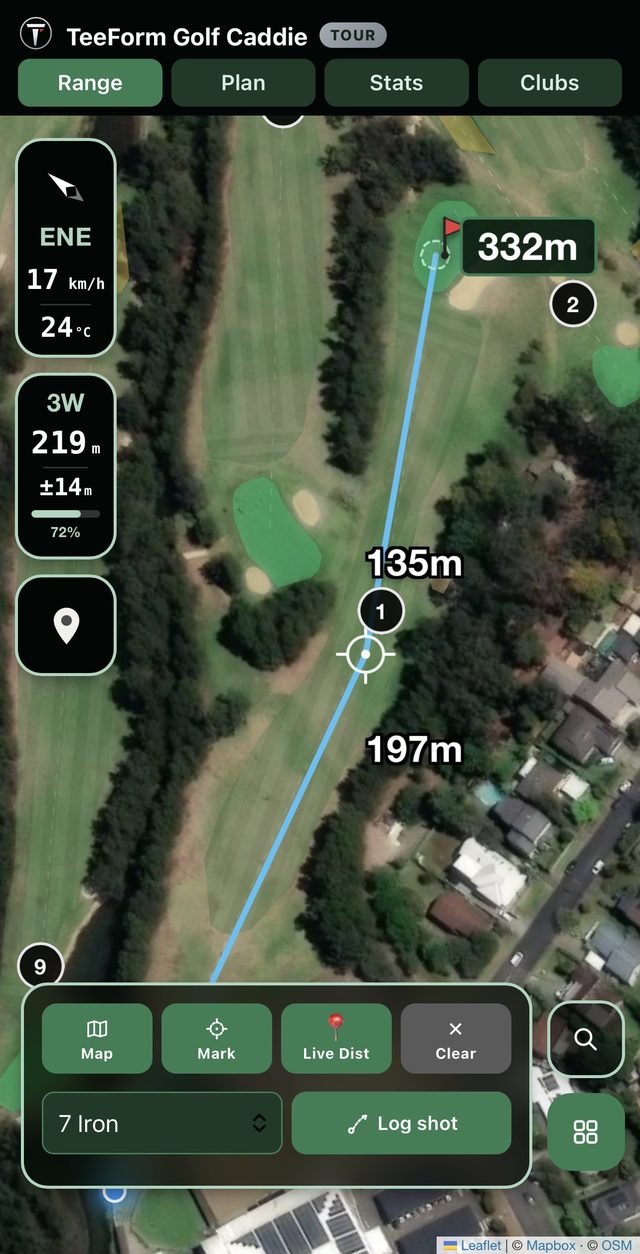
From your first shot to a caddie that knows your game
Every distance you check and every shot you log becomes something TeeForm remembers. There is no setup round and no manual course loading.
Play your normal round
Check distances on the satellite map and log shots as you play. TeeForm starts building a picture of your real club distances and shot patterns.
Plan your next shot
See the distance, weigh your club options, and plan a hole around your own game and the course ahead. Or skip planning and just play.
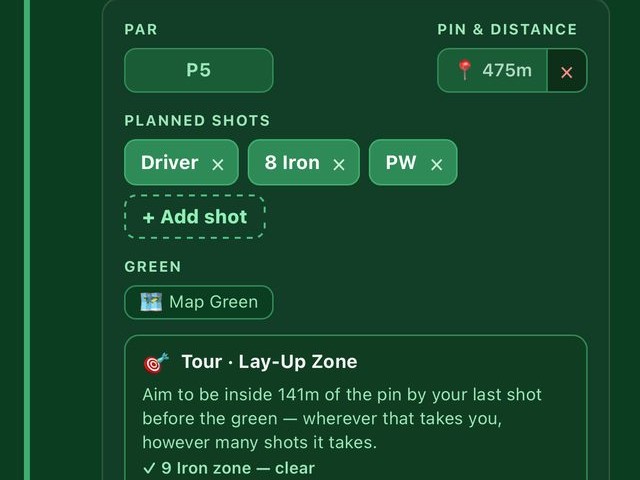
Build a caddie that knows your game
As your history grows, TeeForm uses it to make more personal club and target recommendations. The first rounds teach it, and it keeps improving after that.
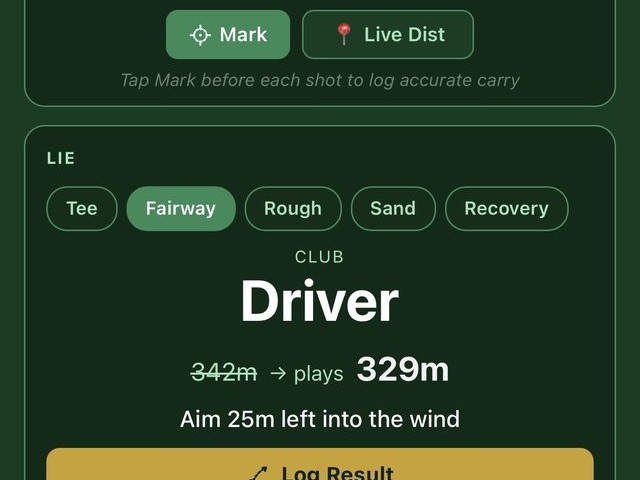
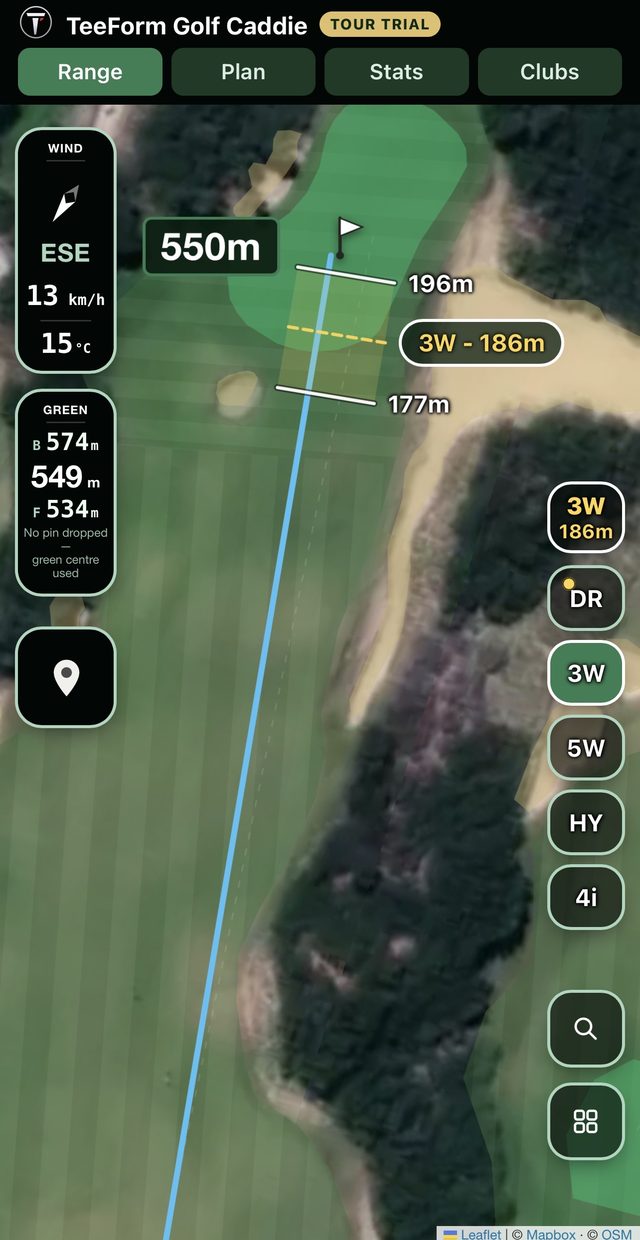
Know where your shots are likely to land — not just how far they'll go
TeeForm uses your actual shot history to show your typical landing range. See when a club's likely landing area overlaps a bunker or water, and compare another club before you commit.
Recommended club and average carry
The gold label shows the club TeeForm recommends and how far you typically carry it. Here it is a 3 Wood at 186 m.
Short and long landing distances
A short bar and a long bar mark where that club usually finishes, from 177 m to 196 m in this example.
Your left and right tendency
The width of the zone and its sideways lean come from your own misses, so a club that fades shows a zone that sits right of the line.
Hazard check, and another club to try
The bars turn amber if the zone overlaps a mapped bunker or water. Tap the club label to open a column of five clubs and compare before you commit. Your recommendation and shot history never change.
 1
2
3
4
1
2
3
4
A real TeeForm screenshot. Landing bars need three or more logged shots for the club.
One caddie that gets smarter the more you play
Every tier is built on the same real shot data. Pro and Tour help you understand it more deeply and act on it.
Caddie
Learn your distances
For golfers who want GPS distances, shot tracking and club recommendations informed by their own data.
- Satellite rangefinderTap tee & green, drop a dogleg bend point, pinch to zoom.
- Live Front/Pin/Back tileOne tile, three numbers, updating as you walk — plain geometry while you plan, wind-and-elevation-adjusted the moment you start playing.
- Auto course detectionAny OpenStreetMap-mapped course, worldwide, plus manual search.
- Full 14-club bagLog a shot from anywhere in the app — one shared history.
- Wind & elevation plays-likeAuto-fetched from GPS, no setup, refined by your own walked profile.
- Club recommendationFrom your own shot history — gated until it has real data to trust.
- Pre-round planner & scorecardAssign clubs per hole, save pins, track strokes vs. par.
Caddie Pro
Understand your game
For golfers who want deeper insight into dispersion, shot tendencies, club confidence and landing zones.
- Everything in Caddie, plus:
- Lie-aware dispersionSeparate averages for tee, fairway, rough, sand and recovery.
- Shot TendencyYour real per-club left/right miss bias, quantified.
- Landing barsSee the landing zone for the recommended club, in amber when it reaches a hazard, and step to the next club up or down.
- Real confidence %How sure TeeForm is about each club, based on how much and how consistent your shot data is.
- Air densityHot, cold, humid or thin air changes how far the ball flies. TeeForm adjusts your distance for it.
- Decision IntelligenceChooses clubs by how consistent each one is for you, not only by its average distance.
Caddie Tour
Play with a strategy
For golfers who want hazard-aware targeting, safer landing options and a fuller view of the hole.
- Everything in Pro, plus:
- Risk-Aware TargetingChecks whether the line to the pin runs close to a hazard and suggests a safer place to land.
- Tee-shot Adjust AimThe same hazard awareness on the tee shot, with a nudge left or right.
- Real green geometryUses the mapped shape of the green and the width of the fairway, not a rule of thumb.
- Free 14-day trialTry TeeForm's top tier before you pay a cent. No credit card required.
Distance tells you what you can hit. CaddiTQ helps you decide what you should hit.
CaddiTQ is the intelligence behind TeeForm's personalised recommendations in Caddie Pro and Tour. It considers your own shot history alongside course conditions and available targets, helping you assess your options rather than relying on distance alone.
Your golf caddie. On your phone. Your data stays yours.
Add TeeForm to your Home Screen and it opens like any other app, with no App Store download. Your golf history stays on your device.
Your shots stay on your phone
Your clubs, shots and rounds are stored on your device, and there is no TeeForm account. TeeForm does look up map imagery, course outlines and weather for the area you are viewing, and Freemius handles trials and purchases. The privacy policy lists exactly what each service receives.
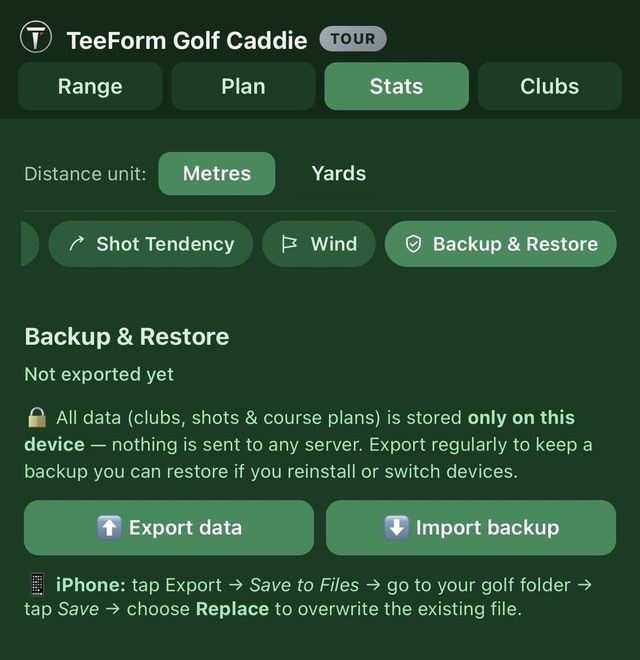
Back up and move your data
Export everything to a file whenever you like, and import it on a new phone. It is the only copy, so back up now and then.
GPS when you need it
Most distances use a single GPS fix instead of continuous tracking. Live tracking is opt-in and stops when you switch tabs or apps, or log a shot.
Open it like an app
TeeForm launches full-screen from its Home Screen icon, and updates arrive automatically. There is no App Store review queue.
Install it in under a minute
TeeForm is an installable web app. These steps put its icon on your Home Screen.
iPhone
- Open app.teeformgolf.com in Safari.
- Tap the Share button.
- Choose Add to Home Screen, then tap Add.
Android
- Open app.teeformgolf.com in Chrome.
- Tap the ⋮ menu.
- Choose Install app (or Add to Home screen).
Tip: install first, then open TeeForm from its Home Screen icon every time. Your shots are saved in that app, so using one way in keeps your history in one place.
Start free. Pay only for the intelligence you use.
Start with a free 14-day trial of Caddie Tour, with no credit card. When it ends, keep Tour or step down to Pro or Caddie, whichever fits your game.
New members get 30% off their first year on any annual plan, applied automatically at checkout. The saving for choosing annual over monthly is shown on each plan.
GPS distances, shot tracking and club recommendations from your own data.
- Full rangefinder & 14-club bag
- Wind & elevation plays-like
- Club recommendation from your shots
- Pre-round planner & scorecard
No credit card required
Already decided? Buy Caddie now $23.09 first yearDeeper insight into dispersion, tendencies, club confidence and landing zones.
- Everything in Caddie
- Lie-aware dispersion & Shot Tendency
- Real statistical confidence %
- Air density & Decision Intelligence
No credit card required
Already decided? Buy Pro now $40.59 first year$4.99 / monthHazard-aware targeting and safer landing options, on top of everything in Pro.
- Everything in Pro
- Risk-Aware Targeting on approach
- Tee-shot Adjust Aim
- Real green geometry & fairway width
No credit card required
Skip the trial? Buy Tour now $48.29 first year$7.99 / monthBefore you tee off
What is TeeForm Golf Caddie?
How is it different from a normal golf GPS or rangefinder app?
How does TeeForm learn my club distances?
Can it recommend a club if I'm new to the app?
Does it help me choose where to aim?
Does TeeForm work on iPhone and Android?
Do I need an internet connection or an account?
Which golf courses are supported?
Is there really a free trial?
Can I buy a plan without doing the trial?
How much does TeeForm cost after the free trial?
Do I need to download it from the App Store?
Will this drain my phone's battery on the course?
Does my golf data ever leave my phone?
Can I use TeeForm on more than one device?
What if it's not for me?
Your next round is the start of a smarter game.
Start building a caddie that understands your distances, your tendencies and your game. Try TeeForm Golf Caddie Tour free for 14 days.
No credit card required